Power Query is magically powerful, yet it is not well known to majority of Excel users. I think most Excel users are not even aware of its existence… So, let’s talk about how Power Query could solve a real-life problem commonly found at workplace. 😉
One day, I got an IM message from a colleague who attended a few of my in-house Excel Training courses… (I didn’t hold any Power Query session yet; so she has no idea of Power Query at all.) She asked:
If there is a quick way to combine (append) 100+ worksheets in a workbook.
I replied:
“Of course… only if you know how!” 😁 I was bad, I know.
I then asked her to share her workbook with all sensitive information removed.
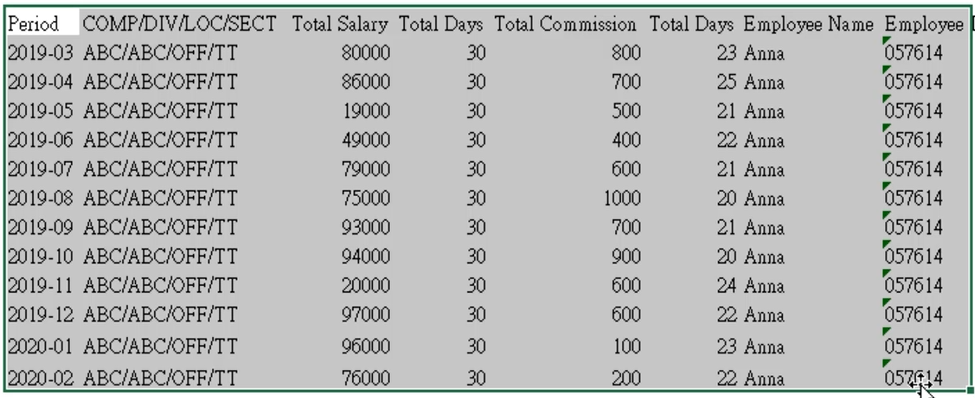
Here’s the content of the worksheets (all data are fake… of course):

What she wanted to extract from the worksheets is the range highlighted above, with the metadata “Employee Name” and “Employee ID” being put together.
Here’s the layout of the expected outcome:
No empty columns; no empty rows… just a simple table!
The real challenge
You may be thinking… that’s easy… it can be done in just a minute. BUT remember this, there are more than 100 worksheets in the workbook and we need to do that to each worksheet.
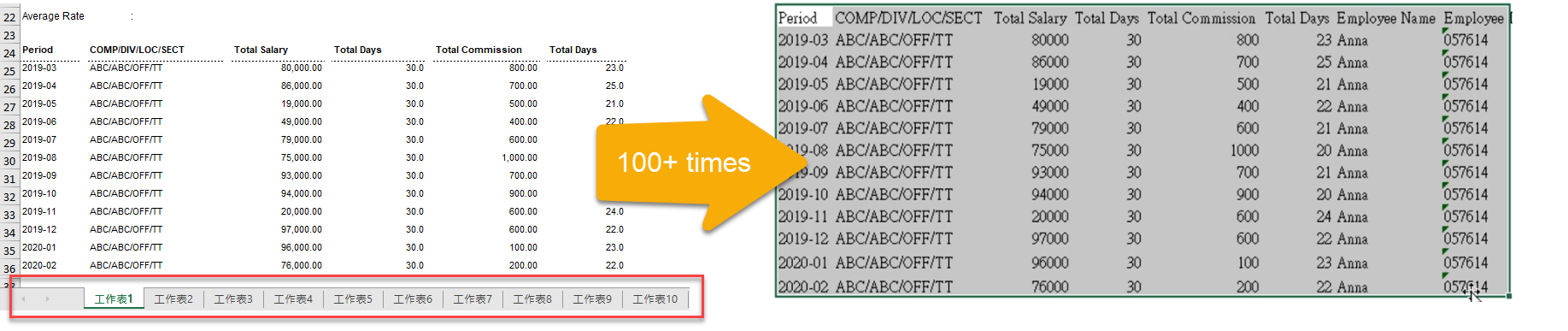
Then we have to combine all transformed worksheets into a single table:
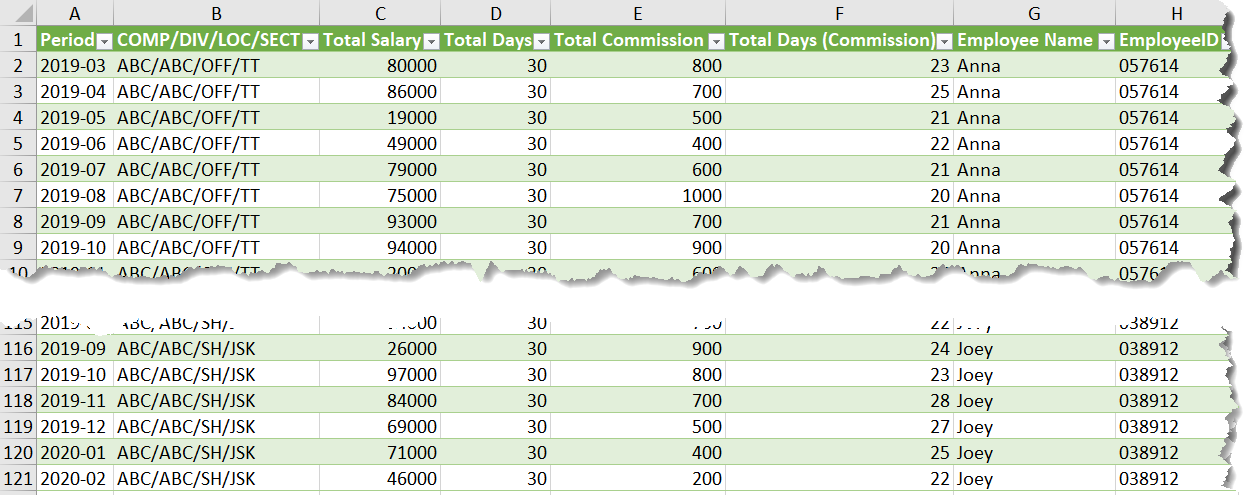
AND needless to say, we may have more worksheets (employees) in the workbook that we want to apply the same transformation and consolidation in the future.
How much time we need to do it manually?
I guess it could take a full day, or even more…
No worry! Power Query comes to rescue!
Continue reading →
If you like it, please share: