
One day, a colleague suddenly asked me: “do you know where I saved this file?” by showing me her monitor with the file opened…
Well, the first thing came to my mind was…… well……, input this formula in any blank cell: =INFO(“directory”)

See! So simple… But I didn’t do that because that could be too advanced???
There are many other (simple) ways to see the path where the file is saved at. Just to name two here:
1) File Tab –> Info. The workbook name and its location are right there, on the top of the Info page. You may also open the file location as shown in the lower right.

2) File Tab –> Recent (You can see the most recent files and their location)
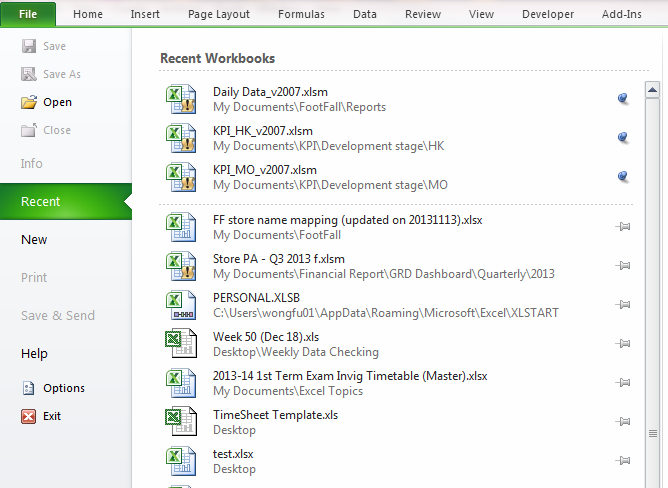
Do you have other way to do so? Pls leave your comments.






 wmfexcel
There is another way which gives more information including file name, sheet name along with path
Try : =cell(“filename”) and enter
LikeLike
That’s a good one. Thanks Anantha!
LikeLike